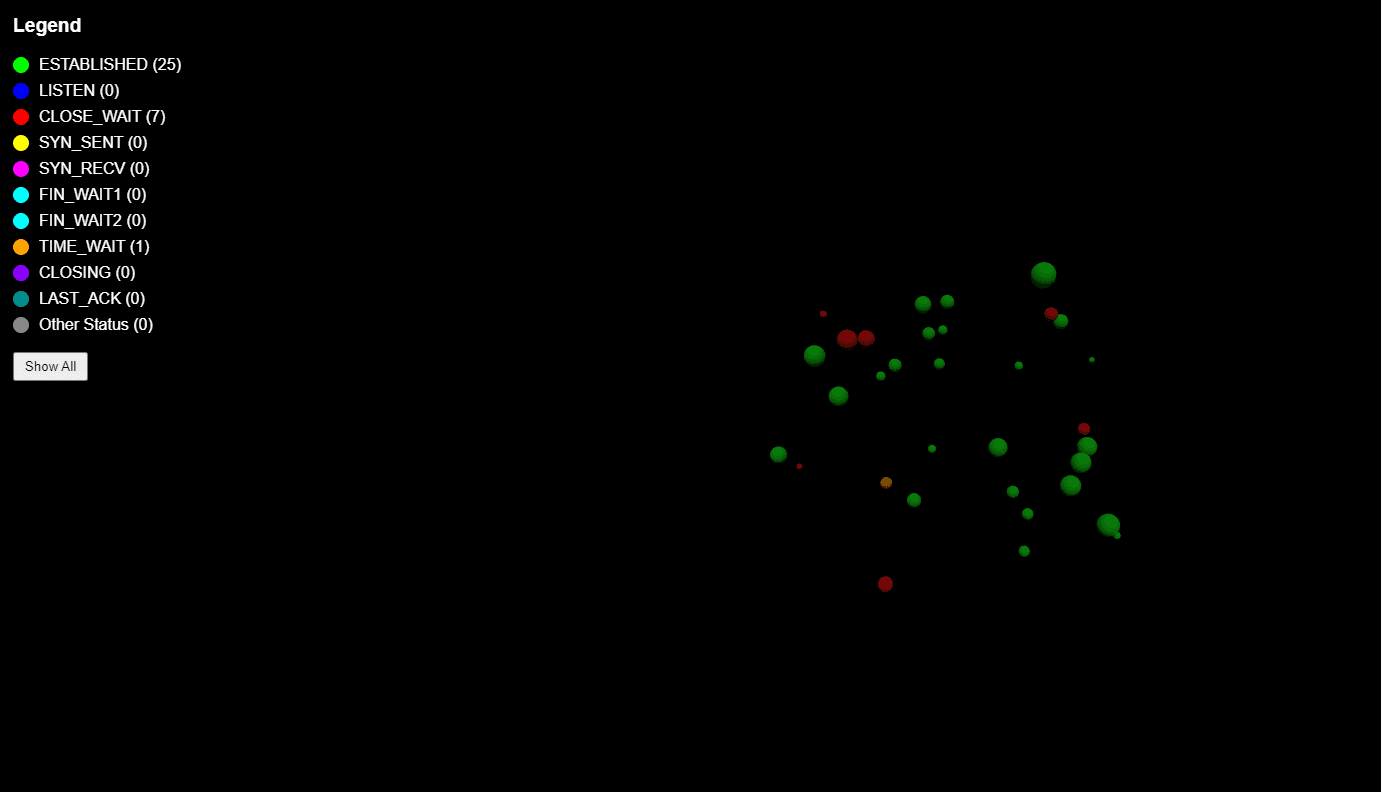
Bubbles Monitor is an application that visualizes network connections in real-time as 3D bubbles. It uses React, TypeScript, and Three.js.
What do I see?:
The main component manages the state of connections, creates 3D bubbles, and renders them in the scene. It uses Axios to fetch data from the backend and Three.js for 3D visualization.import React, { useEffect, useState, useRef } from 'react'; import axios from 'axios'; import * as THREE from 'three'; import { OrbitControls } from 'three-orbitcontrols-ts'; const NetworkBubbles: React.FC = () => { // State to store network connections const [connections, setConnections] = useState<any[]>([]); // State to count connections by status const [connectionCounts, setConnectionCounts] = useState<{ [key: string]: number }>({}); // State for filtering the selected connection type const [selectedStatus, setSelectedStatus] = useState<string | null>(null); // References for the bubbles and the Three.js scene const bubblesRef = useRef<THREE.Mesh[]>([]); const sceneRef = useRef<THREE.Scene | null>(null); useEffect(() => { // Fetch network connections from the backend const fetchConnections = async () => { try { const response = await axios.get('http://127.0.0.1:5000/connections'); setConnections(response.data); } catch (error) { console.error('Error fetching connections:', error); } }; // Perform the fetch at the beginning and every 5 seconds fetchConnections(); const intervalId = setInterval(fetchConnections, 5000); return () => clearInterval(intervalId); }, []); // Other functions to handle bubble visualization... return ( <div id="scene-container"> {/* Legend and other components */} </div> ); }; export default NetworkBubbles;- Integration with the Backend:
- Axios: Used to make HTTP requests to the Flask backend to fetch connection data.
- Polling: A polling mechanism is implemented to update connection data every 5 seconds, ensuring real-time visualization.
- 3D Visualization with Three.js:
- Three.js: Library used to create the 3D scene, manage the camera, lights, and bubbles that represent network connections.
- OrbitControls: Adds the ability to rotate, zoom, and navigate within the 3D scene intuitively.
- Backend Technologies Used:
- Python.
- Flask: Used to create the web server that handles API requests.
- psutil: Python library that provides an interface to retrieve system and process information, including network connection management.
- Flask-CORS: Library that allows enabling CORS (Cross-Origin Resource Sharing) requests between the frontend and the backend.
- Features:
- Network Connections Gathering:
The backend uses the `psutil` library to gather information on active network connections:- Local IP address and port
- Remote IP address and port (if available)
- Connection status (e.g., ESTABLISHED, LISTEN, CLOSE_WAIT, etc.)
- RESTful API:
The backend exposes a RESTful API that provides connection data in JSON format, consumable by the frontend.
- Network Connections Gathering:
- Security:
- CORS Limitations: The backend includes Flask-CORS to enable cross-origin requests only for specified domains, reducing the risk of XSS attacks.
- Port Monitoring: The backend monitors specific network ports commonly used for attacks by hackers.
- Integration with the Backend: